
- 文件
-
设计
-
-
所有分类 -
Category #1 - 新分类
-
我的设计
-
- 打印
- 分享
-
帮助
-
Quick help
- ctrl+a
Select all objects
ctrl+d Double the activate object
ctrl+e Clear all objects
ctrl+s Save current stage to my design
ctrl+o Open a file to import design
ctrl+p Print
ctrl++ Zoom out
ctrl+- Zoom in
ctrl+0 Reset zoom
ctrl+z Undo changes
ctrl+shift+z Redo changes
ctrl+shift+s Download current design
delete Delete the activate object
← Move the activate object to left
↑ Move the activate object to top
→ Move the activate object to right
↓ Move the activate object to bottom
shift+← Move the activate object to left 10px
shift+↑ Move the activate object to top 10px
shift+→ Move the activate object to right 10px
shift+↓ Move the activate object to bottom 10px - Custom help content

Copyright © 2017-2022 Lumise Inc.
All Rights Reserved.Powered by Lumise version 2.0.6
-
- Shop
- 撤消
- 重做
-

-
 English
-
Chinese
语言
-
- 0.0
-
我的购物车
- 返回商店
- 设计
- 产品
- 模板
- 剪贴画
- 图像
- 文本
- 形状
- 层
在此处单击或放置图像
单击或拖动以添加文本









错误报告
如果您发现此设计工具有任何错误或只是您改进该工具的意见,请告诉我们.
提示:如果您想发送带有截图或视频的内容,您可以将它们上传到 imgur.com 或任何驱动服务并在此处放置链接“-”
-
从左侧添加对象开始设计
- 所有选定的对象均已分组 | 取消分组?
- 组对象 对选定对象的位置进行分组
-
-
填充选项
保存这个颜色
-
- 创建二维码
-
选项
-
自动将活动对象与其他对象的位置对齐 -
ON: Keep all current objects and append the template into OFF: Clear all objects before installing the template -
替换选定的图像对象而不是创建新的图像对象
-
- 替换图像
- 裁剪
-
蒙版
-
选择遮罩层
-
-
删除背景
-
删除背景
-
深:
-
模式:
-
-
过滤器
-
过滤器
-
- Original
- B&W
- Satya
- Doris
- Sanna
- Vintage
- Gordon
- Carl
- Shaan
- Tonny
- Peter
- Greg
- Josh
- Karen
- Melissa
- Salomon
- Sophia
- Adrian
- Roxy
- Singe
- Borg
- Ventura
- Andy
- Vivid
- Purple
- Thresh
- Aqua
- Edge wood
- Aladin
- Amber
- Anne
- Doug
- Earl
- Kevin
- Polak
- Stan
-
亮度:
-
饱和:
-
对比:
-
- 清除过滤器
- 点击然后拖动鼠标开始绘制“-” Ctrl+Z = undo, Ctrl+Shift+Z = redo
- QR码文字
-
填充选项
-
填充选项
保存这个颜色
-
透明:
-
笔划宽度:
-
描边颜色:
-
- 取消组合位置
-
排列图层
-
位置
-
对象位置
锁定物体位置:
-
中心垂直
-
左上
-
顶部中心
-
右上
-
中心水平
-
中左
-
中心
-
中右
- 按 ← ↑ → ↓ 移动 1 px,<br>同时按 SHIFT 键移动 10px
-
左下
-
下中心
-
右下
-
-
变形
-
旋转:
-
倾斜X:
-
倾斜Y:
-
翻转X:
翻转Y:
按SHIFT ⤡自由变换
-
-
字体家族
-
编辑文字
-
编辑文字
-
-
字体大小:
-
字母间距
-
行高
-
-
文字效果
-
文字效果
-
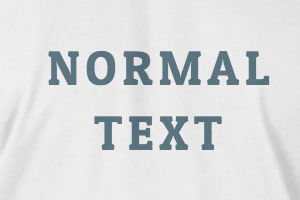
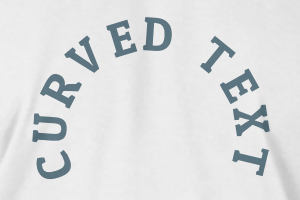
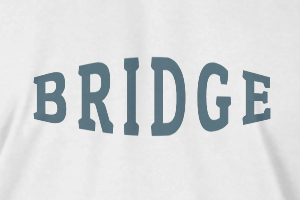
-
半径
-
间距
-
曲线
-
高度
-
偏移
-
三叉戟
-
-
文本对齐
- 大写/小写
- 字体粗细
- 文本样式斜体
- 文字下划线
Please select a product to start designing
Scroll to zoom